
Understanding Count vs Count Less Other UOMs
3.2 min read
|This article is about the Billing Manager app, not the Billing Wizard in 3PL Warehouse Manager. To learn about the Billing Wizard, please refer to the articles in the Billing Setup.
Overview
This article explains the difference between Count and Count Less Other UOMs (Units of Measure) when your counting unit is based on item-level setup. It also covers what you need to set up before using these calculation methods, and what happens if a Unit of Measure level is left out of your rate setup.
When you create rates in Billing Manager and want to charge based on the item-level Units of Measure such as primary unit, secondary unit, packaging unit, and pallet, you'll calculate the charge using either Count or Count Less Other UOMs.
Prerequisites
Before using Movable Unit as your counting unit, the item must have a Movable Unit Quantity defined in its Units of Measure setup in 3PL Warehouse Manager. If this quantity isn't set, Billing Manager can't use Movable Units to calculate the charge.
Confirming the Movable Unit quantity is set
1. Launch 3PL Warehouse Manager.
2. Click Items on the left navigation menu, then select Manage Items.
3. Select the item and click Edit.
4. Click the Units of Measure tab and locate the Movable Unit section.
5. Confirm the quantity is set for the movable unit.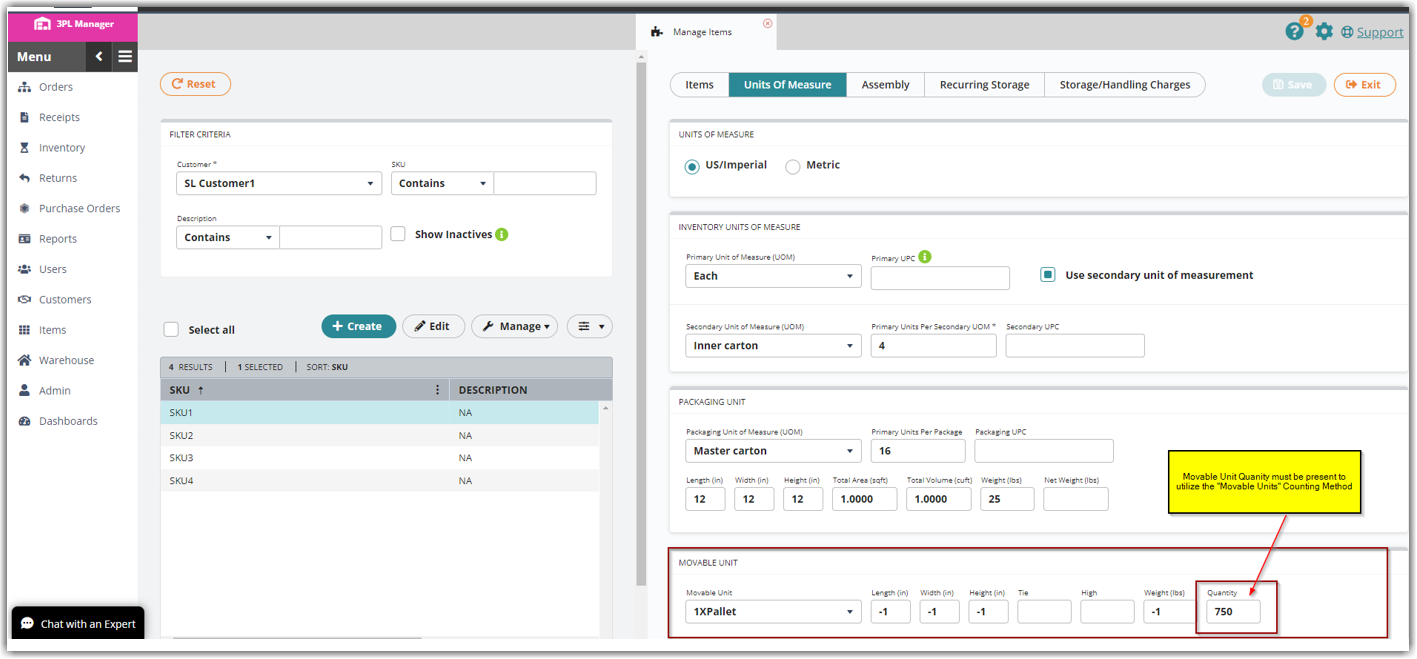
If your rate uses Count Less Other UOMs, you'll also need to define the Secondary UOM Qty (if used), Packaging UOM Qty, and Movable Unit Qty for the item, see Count Less Other UOMs pre-condition below.
Count
Count applies a straightforward calculation to your rate.
Example: You select Movable Unit as your counting unit and calculate by Count. The charge amount for this rate is $20.00, and Round to Counting Unit is not enabled.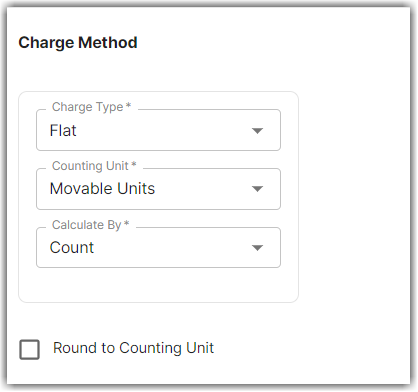
A transaction includes a total of 123 primary units, with the following breakdown:
- Secondary Unit: 10 primary units per unit
- Packaging Unit: 10 primary units per unit
- Movable Unit: 100 primary units per unit
Since 1 movable unit equals 100 primary units, 123 primary units equals 1.23 movable units (123 / 100 = 1.23). The system charges $24.60 for this transaction (1.23 movable units × $20).
Round to Counting Unit enabled
If Round to Counting Unit is enabled, the system charges a full fee for any fractional quantity that makes up a unit. For example, a fractional pallet quantity in a receipt is charged as a full pallet.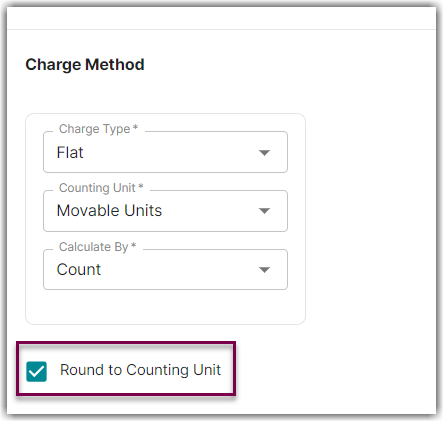
Count Less Other UOMs
Count Less Other UOMs calculates the charge based on how many primary units make up each secondary unit, packaging unit, and movable unit — without counting units that already belong to a higher level.
Example: You select Movable Unit as your counting unit and calculate by Count Less Other UOMs. The charge amount is $20.00.
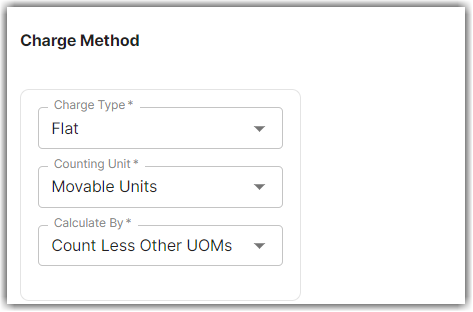
A transaction includes a total of 123 primary units, with the following breakdown:
- Secondary Unit: 10 primary units per unit
- Packaging Unit: 10 primary units per unit
- Movable Unit: 50 primary units per unit
With Count Less Other UOMs, the system only counts full movable units — 2 movable units (100 primary units), leaving 23 primary units unaccounted for. The system charges $40.00 (2 movable units × $20).
Charging for the remaining units
To charge for the remaining 23 primary units, create additional rates for the packaging unit and primary unit levels, each using Count Less Other UOMs. With three rates in place (movable unit, packaging unit, and primary unit), the system charges for 2 movable units (100 primary units), 2 packaging units (20 primary units), and 3 primary units.
Rate priority across levels
If you also create a secondary unit rate calculated by Count Less Other UOMs, and the secondary and packaging unit levels cover the same quantity of primary units, the system uses a priority order to decide which rate to run:
- Primary Unit
- Secondary Unit
- Packaging Unit
- Movable Unit
For a transaction of 123 primary units, the system charges 3 primary units, 2 secondary units (20 primary units), and 2 movable units (100 primary units) — the packaging unit rate doesn't run, because secondary unit takes priority over it.
Count Less Other UOMs pre-condition
Using Count Less Other UOMs requires you to define the Unit of Measure Quantity for every level used in your rates, including:
- Secondary UOM Qty (if used)
- Packaging UOM Qty
- Movable Unit Qty
This is because Billing Manager uses the item's total transaction quantity to calculate each Unit of Measure based on the item setup. If a level's rate isn't created, that level's quantity is left out of the calculation rather than rolling up into another level.
Example: An item has the following setup:
- Secondary UOM Qty = 6 primary units
- Packaging UOM Qty = 24 primary units
- Movable Unit Qty = 1,200 primary units
For a total receipt quantity of 1,233, the Units of Measure are counted as:
- Pallet count = 1 (1,200 primary units, remainder of 33)
- Package count = 1 (24 primary units, remainder of 9)
- Secondary count = 1 (6 primary units, remainder of 3)
- Primary count = 3 (remaining quantity)
Primary UOM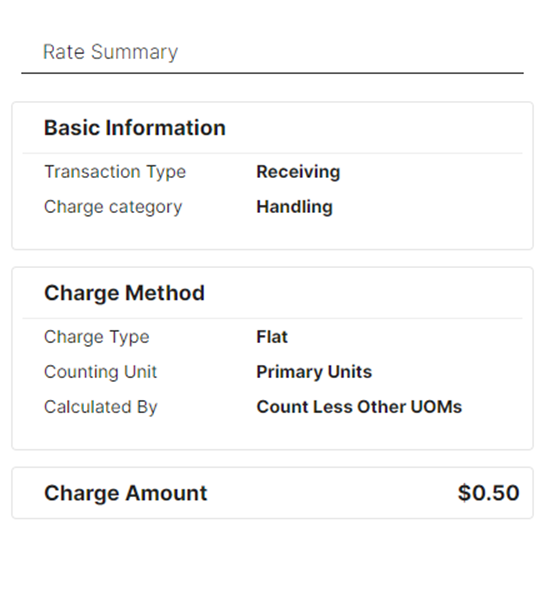
Secondary UOM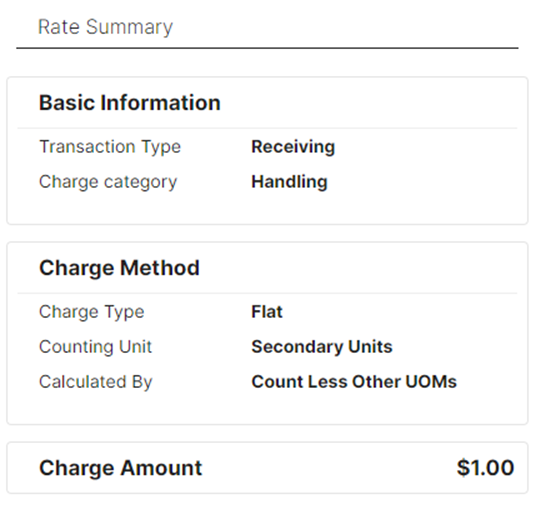
Packaging UOM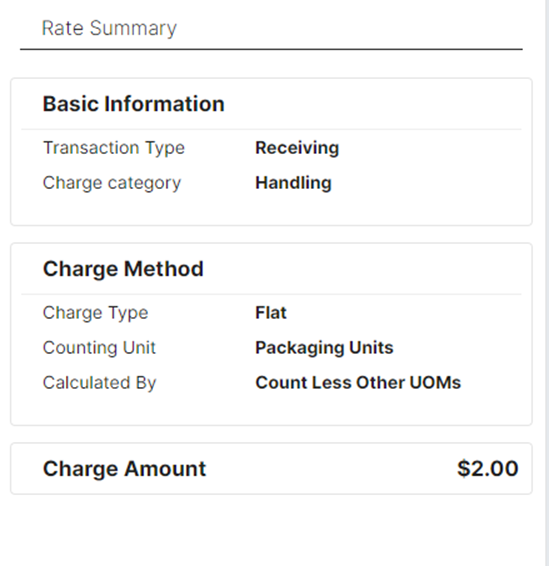
If Primary, Secondary, and Packaging Count Less Other UOMs rates are added as receiving-type transactions and assigned to a customer, but no Movable Unit rate is added, the result is: - Package count = 1 (remainder of 9)
- Secondary count = 1 (remainder of 3)
- Primary count = 3
The Movable Unit Qty of 1,200 is deducted from the total available quantity before the system allocates the remaining quantity to the other Units of Measure — it isn't picked up by the Secondary or Packaging levels just because no Movable Unit rate exists. If you want to charge for the movable unit quantity, you need to create a Movable Unit rate for it.
Was this article helpful?
Share additional feedback about this article