
Pick Carts and Pick Totes
0.7 min read
|Pick Carts and Pick Totes
When creating waves you have the option to use a pick cart with totes. An advanced wave has the option to automatically assign each order to a tote when processing a wave. This way, the user will build each order in a tote as they walk through the warehouse fulfilling the wave.
Creating a Pick Cart
To create a pick cart,
- Navigate to 'Orders' from the top nav bar in the admin console. From there, navigate to Wave picking > Pick Carts and Totes
- Next, Click the New Pick Cart section at the top of the page:
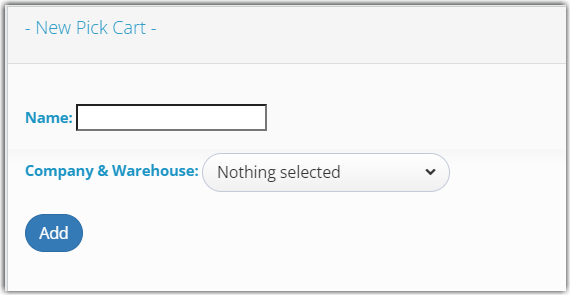
- Give the cart a name, and select the Warehouse that the cart will be located at. Click 'Add' when finished.
Creating Totes
Once you have a Pick Cart created you can then create totes that are assigned to that cart.
To do so,
- Click on the cart to expand the cart detail:

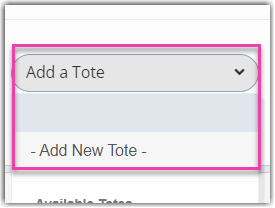
- Click Add a Tote then select Add New Tote from the drop-down menu:
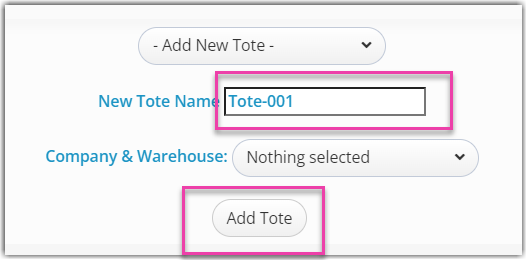
- Give the tote a name (Example tote name: Tote-001) and then click the Add Tote. button. You will now see the tote listed as connected to that cart.
Was this article helpful?
Share additional feedback about this article