
Label Printing Admin
0.4 min read
|Label Printing Admin
Printing barcode labels in the admin console can be done in a number of different areas (Parts, Bins, Orders). To print a barcode label, first ensure that your label printer is properly set up and that your label size / layout configurations are set.
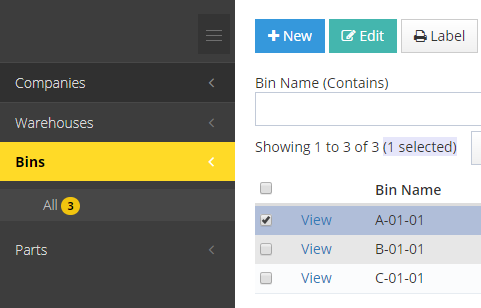
For this example, we will use Bins to print barcode labels. Navigate to Warehouse > Bins and select your view. Select the records you wish to print and click the Label button:

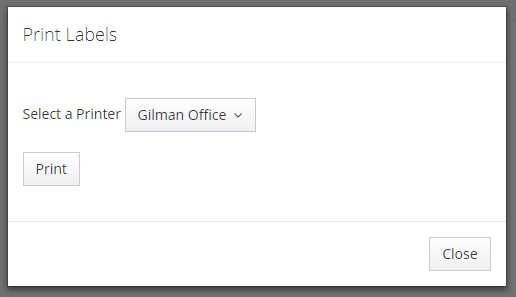
Next you will receive a pop for you to indicate the printer you'd like the label to print to.
 Select your printer and click Print.
Was this article helpful?
Share additional feedback about this article