
SNAP FTP
0.4 min read
|FTP - SNAP
SNAP has the ability to use FTP put and get functions (upload and download).
To set up an FTP put or get,
-
Add a SNAP job type and select 'FTP'.

- Next, select which among he following functions to perform:
- Put = Upload a specified file to the remote server
- Get = Download specified file from the remote server

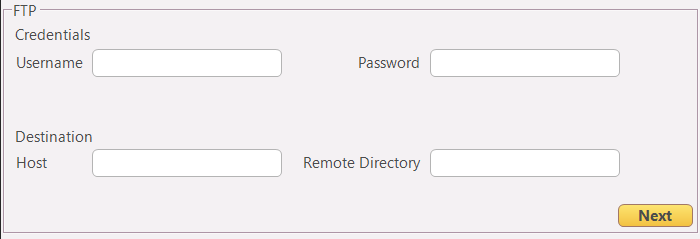
- The next section sets up the FTP connection. Please speak with an IT representative if you need assistance obtaining this information:
- Next, select the file you wish to put/get:

- Click OK when finished
- Now to run the FTP job, highlight it and click Run from the Jobs list:
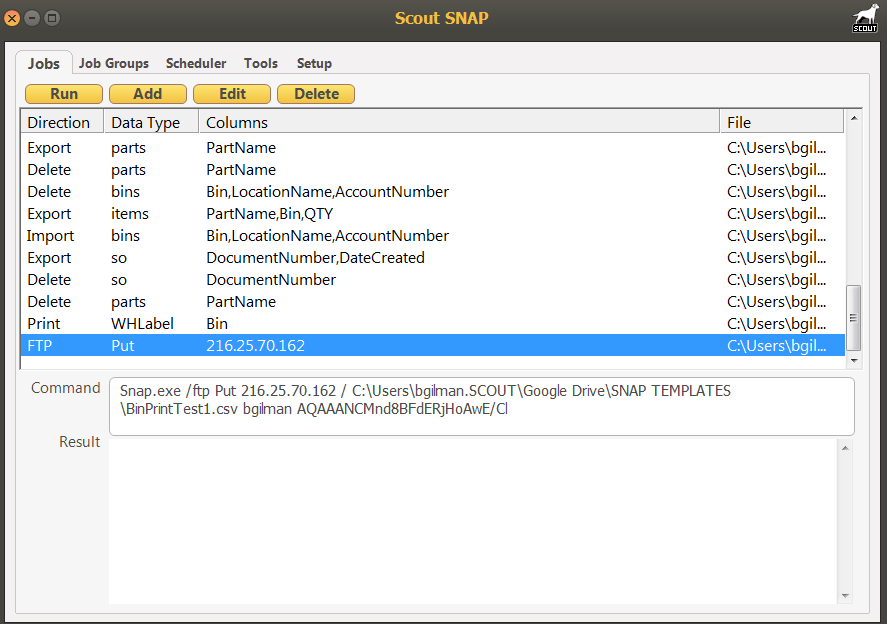
The FTP feature can be configured with the Scheduler and Job Groups features to automate uploading and downloading files from a remote server.
Was this article helpful?
Share additional feedback about this article