
Inventory Move
0.3 min read
|Inventory Move
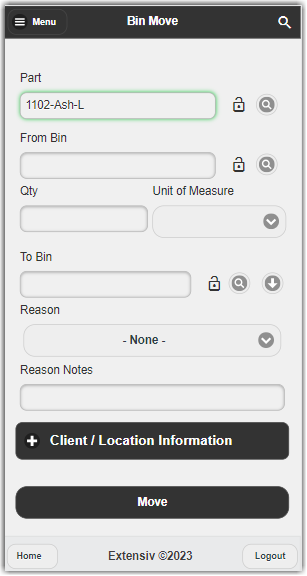
Inventory Move is used to Bin Move Items.
To perform this move,
- Start by entering the Part Name. Once you do, the rest of the available fields will be displayed.
- (Optional) You can use the magnifying glass next to each field to look up Part Names or Bins.
- Enter values into the From Bin and To Bin fields, as well as a QTY to be moved.
- (Optional) You may also enter Reason Codes or Reason Notes if desired.
- Select Move and the inventory has been moved to the selected Bin.
Was this article helpful?
Share additional feedback about this article