
Kit Requests
0.5 min read
|Kit Requests
Before building a kit you must first create the Kit Request. This can be done from the Admin Console or from the Mobile Interface.
Kit Requests From Admin Console
Kit requests are created from the Admin Console.
To do so,
- Navigate to Create > Kit Requests.
- Enter the final production part name and the QTY requested as well as any Notes.
- Click Save and the Request Number will be generated automatically.

Kit Requests From Mobile
Kit Requests are created from the Mobile interface.
To do so,
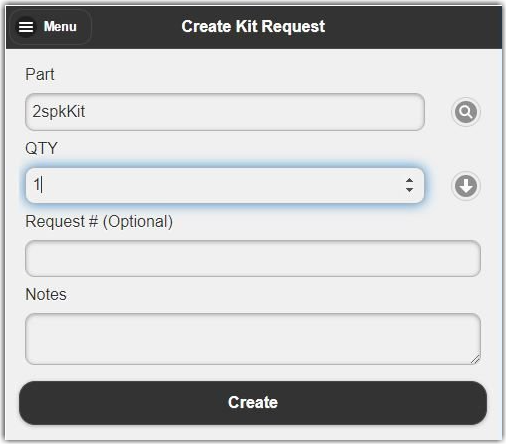
- Navigate to Inventory>Create Kit Request.
- Enter the PartName to be created and the QTY that you would like to create. A request # will be automatically generated, or you can enter one manually.
- Click Create.
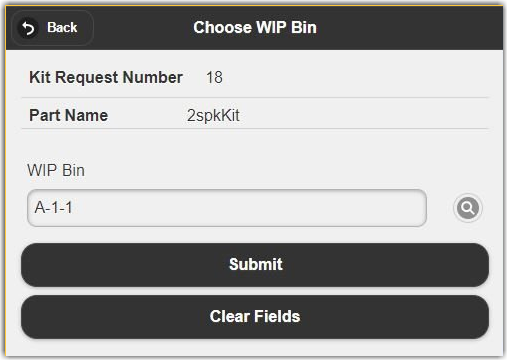
- Enter the name of the Process Bin that you would like to create the Kit into, then click Submit to finish creating your Kit Request.
Was this article helpful?
Share additional feedback about this article