
User Groups
0.7 min read
|In User Group Administration, you can create and edit user groups. User groups are used to determine the permissions for users tied to said group. The Admin, Receiver, and Shipper user groups are available by default.
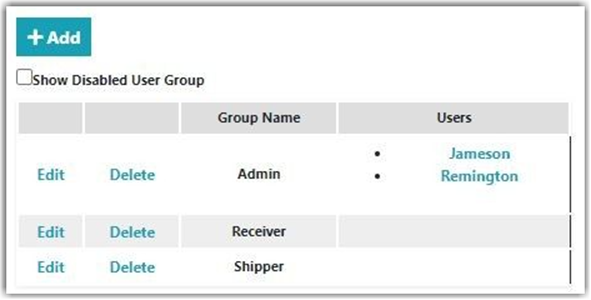
Creating New User Groups
To create a new User Group,
- Click Add for the new user group.
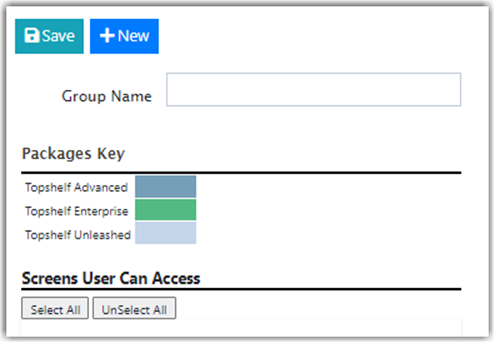
- Enter the Group Name and check or uncheck a feature that you wish to grant access to a particular user group.
- You can either click Select All to check all the permissions for the user group or click UnSelect All to uncheck all permissions.
- The User Group Permissions are broken down by:
- Customer Portal – This is used by your customers (if applicable to their business).
- Mobile Device – This is where warehouse operations are handled. The mobile device can also be accessed on a computer by navigating to mobile.scoutsft.com
- Web Administration Portal – This is where all settings and transaction records are accessed.
- The User Group Permissions are broken down by:
Permissions can be set per User Group at the Use, Search, View, Create, Edit, or Delete level. Enabling or disabling the checkboxes of a given column and feature determine what features the User Group can use in the system. Disabling some features removes modules entirely from admin or mobile views when logged in.
Was this article helpful?
Share additional feedback about this article