
How to Exclude a Warehouse From Pushing Inventory to a Sales Channel
0.3 min read
|Follow these instructions to exclude a warehouse from pushing inventory to a sales channel.
To exclude a warehouse from pushing inventory to a specific sales channel, follow the steps below.
- Navigate to Order Routing of Extensiv Network Manager.
- Go to the Settings module.
- Click Sales Channels.
- Highlight the sales channel and click Edit.
- In the sales channel window, click Add warehouses to exclude dropdown and select the warehouse(s) that you would like to exclude inventory from.
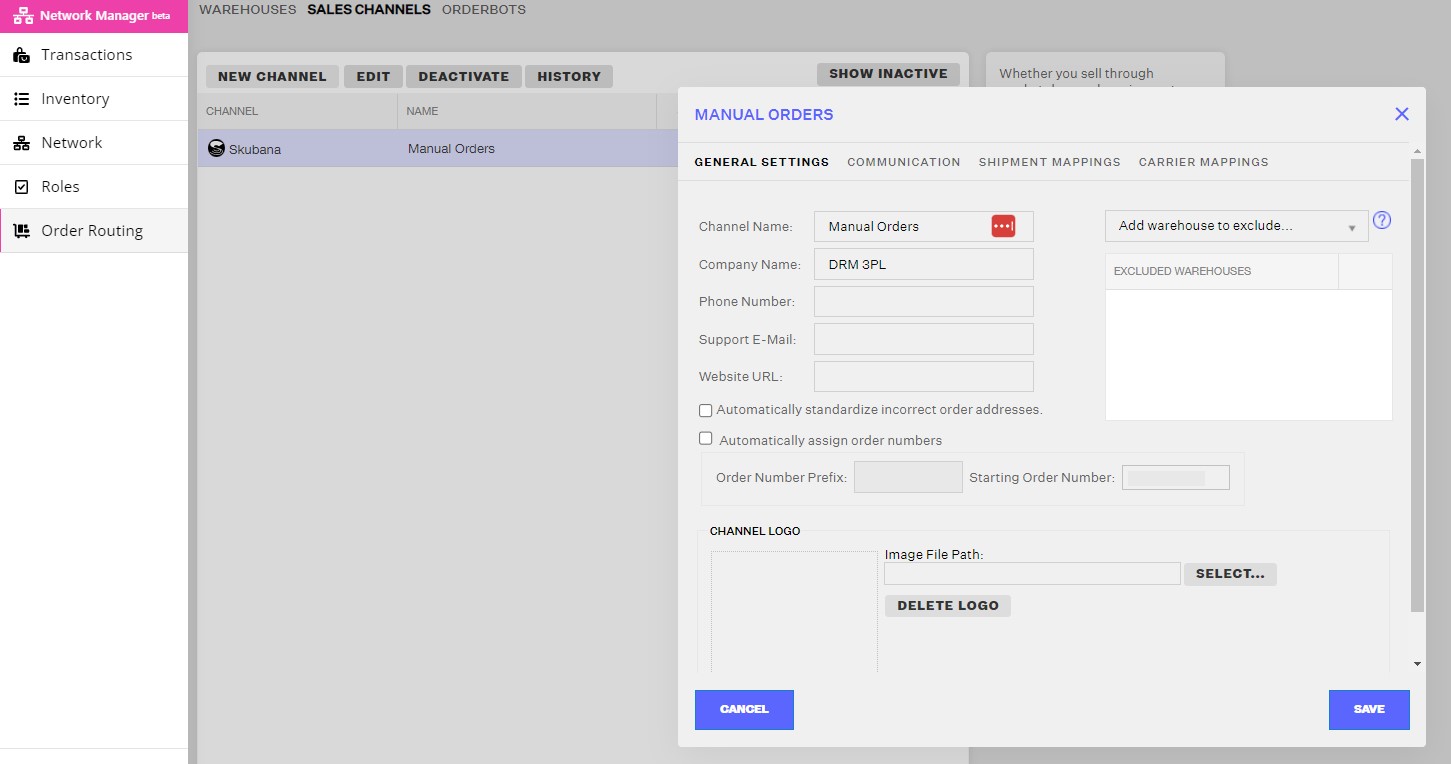
6. Click the Save button.
Was this article helpful?
Share additional feedback about this article