
Setting Up ChannelAdvisor
0.4 min read
|Supported functions
- Order Send
- Shipment Confirmation Pickup
- Inventory Sync Pickup - Multi Warehouse
- Product Alias Download
- Cancellation sending
Workflow

- Sales Order Download from Order Sources to Integration Management
- Sales Order Delivery from Integration Management to ChannelAdvisor
- Shipment Tracking from ChannelAdvisor to Integration Management
- Shipment Tracking from Integration Management to Order Source
Step-by-step guide
- Open Integration Management.
- Click on WMS and click Change WMS next to the dropdown list. Notice that the Change WMS disappears after clicking it, allowing you to select from the list.
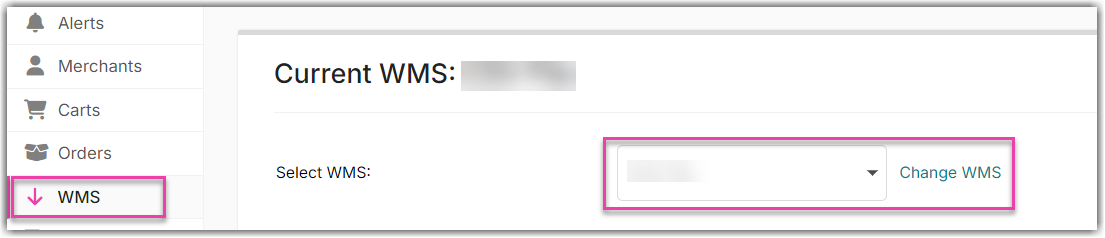
- Select ChannelAdvisor from the dropdown list.

- Click Grant Us API Access. Enter your ChannelAdvisor credentials to complete authorization.
- Click Save.
Under each cart setting, there is Payment Status field. Please select the appropriate value. The default value is 'Do not send.'
Was this article helpful?
Share additional feedback about this article