
Setting Up LogiView
0.4 min read
|Supported functions
- Order Send
- Inventory Sync Pickup - Multi-Warehouse
- Shipment Confirmation Pickup
Required parameters
- Extensiv Integration Manager API User
- Integration Manager API Key
Workflow

- Sales Order Download from Order Sources to Integration Management
- Sales Order Delivery from Integration Management to LogiView
- Shipment Tracking and Inventory from LogiView to Integration Management
- Shipment Tracking and Inventory from Integration Management to Order Source
Step-by-step guide
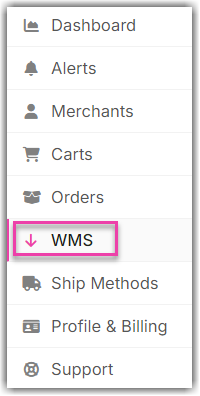
- Open Integration Management.
- Click on WMS and click Change WMS next to the dropdown list. Notice that the Change WMS disappears after clicking it, allowing you to select from the list.
- Select Logiview from the list.
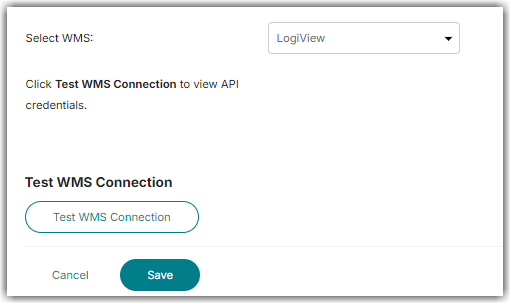
- Click Test WMS Connection.
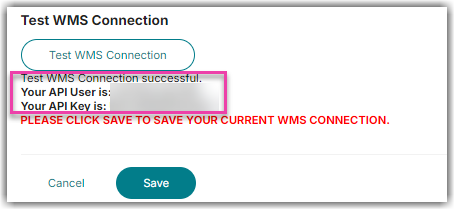
- Copy the provided API User and API Key.
- Click Save.
- Send the Integration Manager API User and API Key to LogiView support.
Was this article helpful?
Share additional feedback about this article