
Adding Amazon Buy Shipping as a Shipping Provider
0.8 min read
|If you have an active Amazon US, Amazon Germany, or Amazon UK sales channel in Extensiv Order Manager and you sell FBM listings, you can ship Amazon orders in Order Manager using Amazon Buy Shipping. Adding Amazon Buy Shipping as a shipping provider allows you to use Amazon's negotiated rates.
Note: EU customs requirement (effective November 1, 2026)
Amazon now requires a manufacturer part number or model number on Buy Shipping labels for shipments sent from outside the EU to an EU destination. Order Manager does not send this information, so Amazon will return an error and won't create a label for these shipments. Shipments within the US, within the EU, or to non-EU destinations are not affected.
Follow the steps below to add Amazon Buy Shipping as a shipping provider in Order Manager.
- Go to the Settings module and click on Shipping Providers.
- Click on the New Shipping Provider button and select Amazon Buy Shipping.
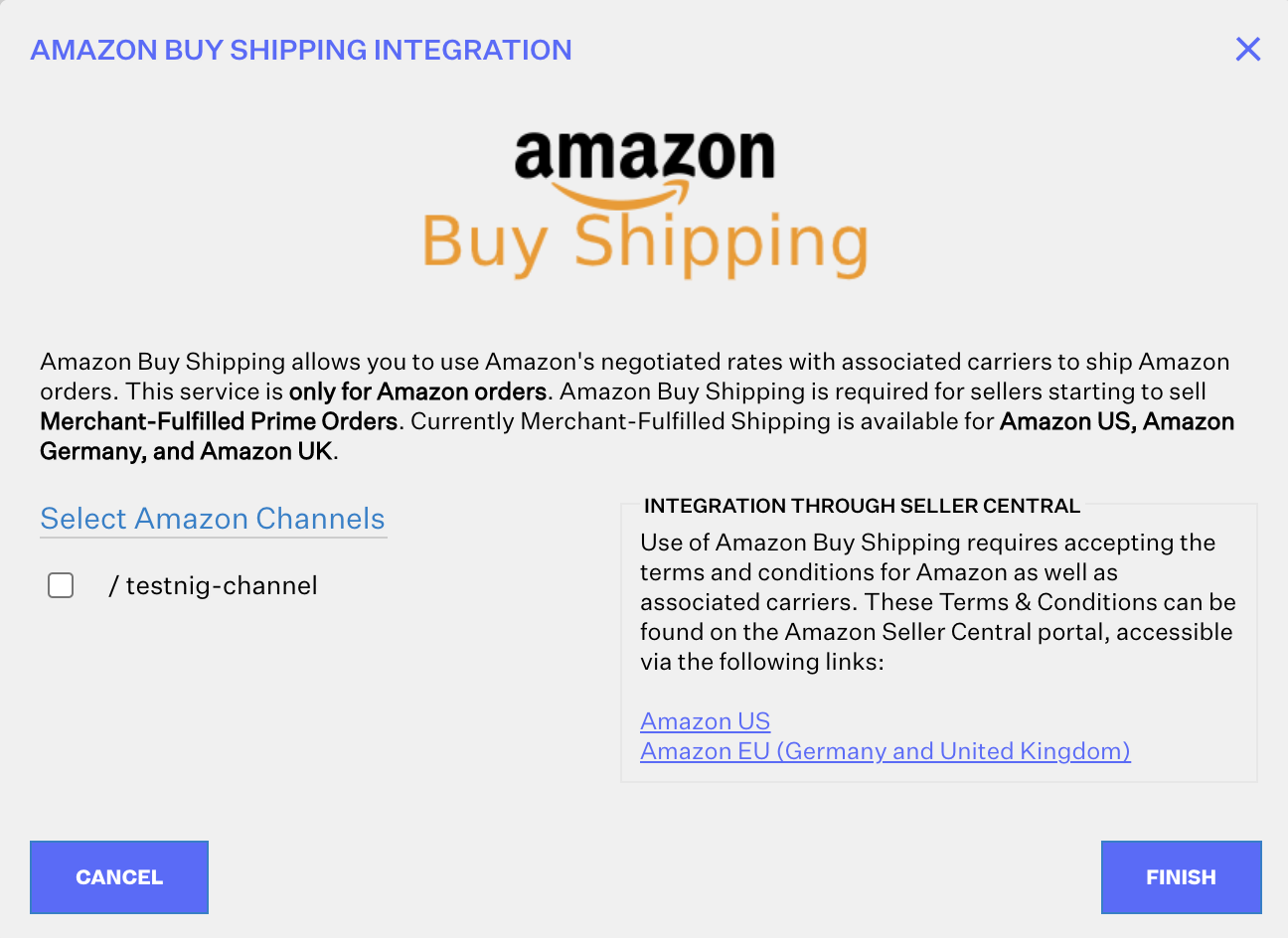
- In the Amazon Buy Shipping integration window, if you haven't already accepted the Terms & Conditions for the Amazon Buy Shipping program on Seller Central, click the links for each Amazon sales channel to review and accept the Terms & Conditions.
- Select the checkboxes next to the Amazon sales channels that you want to enable Amazon Buy Shipping for in Order Manager.
- Click Finish.
Once the process is complete, Amazon Buy Shipping will be listed as a shipping provider in your Order Manager account.
Was this article helpful?
Share additional feedback about this article