
How to Enable Cin7 Core (Dear) Inventory Sync
0.5 min read
|To enable inventory sync to Cin7 Core (Dear) Systems, you must complete the following fields within your Cin7 Core (Dear) cart setup page (Carts tab > Cin7 Core > Edit Setup) in addition to activating Inventory Sync under the Services section:
Stock Adjustment Price Tier Name
Which price tier should Extensiv Integration Management use as Item Unit Cost when creating the Item Stock Adjustment?
To enable inventory sync, please ensure this field is not blank!
To obtain the price tier name, please go to Dear: Inventory --> Products --> Edit Product --> Click on the Prices tab at the bottom. The value needed is the Price Tier Name.
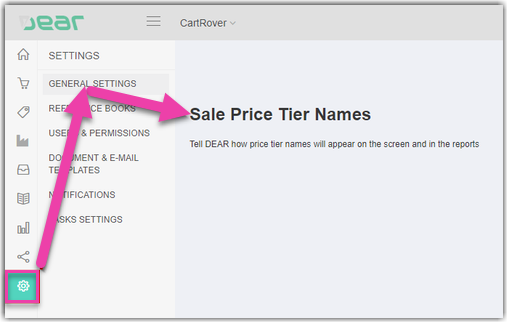
To update the Price Tier Name in Cin7 Core (Dear), go to:
- Settings (Gear Icon)
- GENERAL SETTINGS
- Sales Price Tier Names Section
Required Location
Please enter the location name in Cin7 Core (Dear) that Integration Management should sync inventory to. This is a required field.
Was this article helpful?
Share additional feedback about this article