
Setting Up ApparelMagic
0.5 min read
|
Integration specs:
Supported functions:
- Order Download
- Shipment Confirmation
- Inventory Sync
- Invoice
Required parameters
- ApparelMagic Domain
- API Token
Connecting to Integration Manager requires you to have an ApparelMagic Professional or higher plan. The Basic plan will not work.
Step-by-step guide
- Login to ApparelMagic and go to Settings > Integrations. Select Integration Manager (formerly CartRover).
- Click the Enable button in the top right corner.
- Copy the API Token.
Note: Please see the ApparelMagic settings guide page if you plan on enabling Purchase Orders or Inventory sync. This connection requires specific parameters for these functions.
- Log in to Extensiv.
- Open Integration Management.
- Go to Carts > + New Setup.
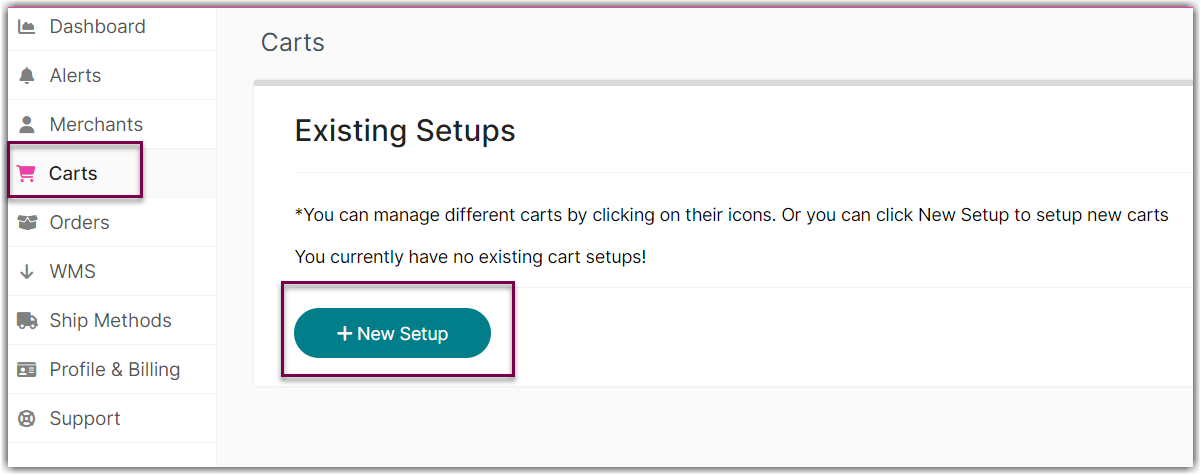
- Select ApparelMagic from the list.

- Enter the URL and API token in API Information section.
Your ApparelMagic domain is located in the URL you use to access ApparelMagic. It looks like: yourcompany.app.apparelmagic.com
- Click Test to confirm successful connection.
- Click OK to save.
Was this article helpful?
Share additional feedback about this article