 Warehouse Management
Updated on October 17th, 2025
-
Warehouse Management
- Getting Started
- Admin Console
- Shipping
- Order Picking & Packing
- Receiving
- Customer Portal
- Cycle Counting
- Kit Building
- Managing Users
- Barcode Scanner
- Import/Export
-
Integrations
- Brightpearl
- Shipstation
-
Order Manager
- Warehouse Manager Order Manager Integration Details
- Installing Warehouse Manager Order Manager Integration
- Integrating Warehouse Manager and Order Manager
- Understanding Order Sync in Warehouse Manager and Order Manager integration
- Understanding the Inventory Sync between Warehouse Manager and Order Manager
- ShippingEasy
- Barcoding
- Wave Picking
- Bin Move
- Mobile Receiving and Picking
-
Settings
- Overview
- API Settings
- Bin Types
- Document Files
- Document Templates
- Event Actions
- Label Config
- Label Printers
- Message Recipients
- My Account
- Order Settings
- Pick Path
- PO Payment Settings
- Reason Codes
- Shipping Accounts
- Shipping Types
- Tags
- Transaction Codes
- User Groups
- Work Order Statuses
- Work Order Types
- Popular Articles
- Reporting
Users
This article shows you how to setup a user in Warehouse Manager, create and edit system users, as well as assign user licenses for each user.
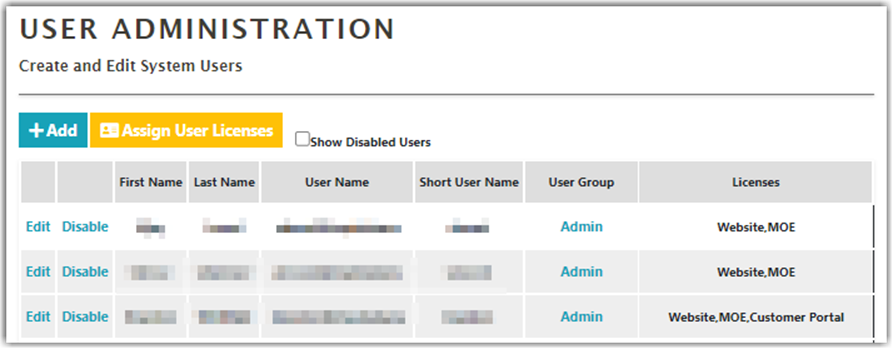
Creating New Users
To add a new user,
- Click Add on the User Administration screen.
- Fill in the following required fields:
- First Name
- Last Name
- Web User Name
- Device User Name
- User Group
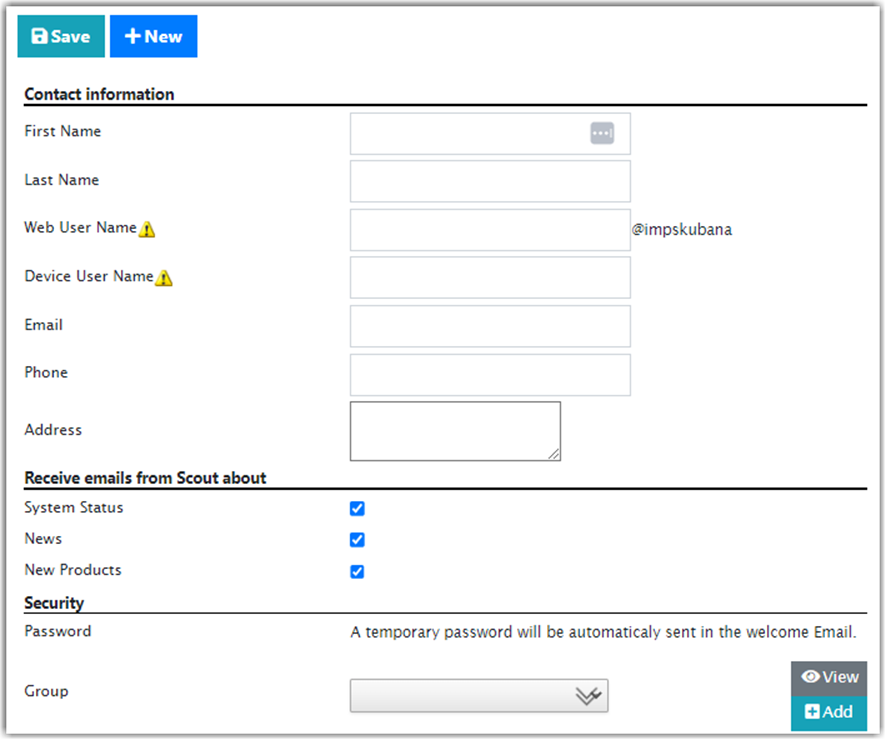
- A unique email address is required to create a new user. When a new User is added, an e-mail will automatically be sent to their listed e-mail address with further login instructions.
-
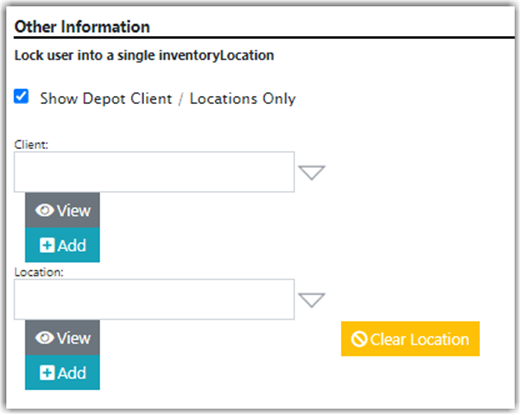
(Optional) Assign a user to a specific client and location (warehouse). Locking a user into a single bin is no longer a working feature of Warehouse Manager.
- Click Assign User Licenses and select a user license.
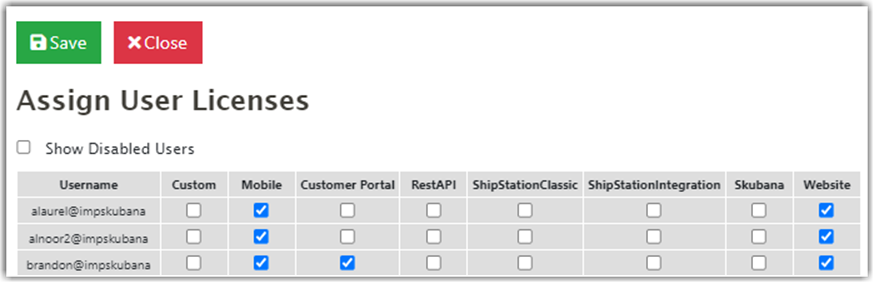
- Click Save to finish creating a user.